
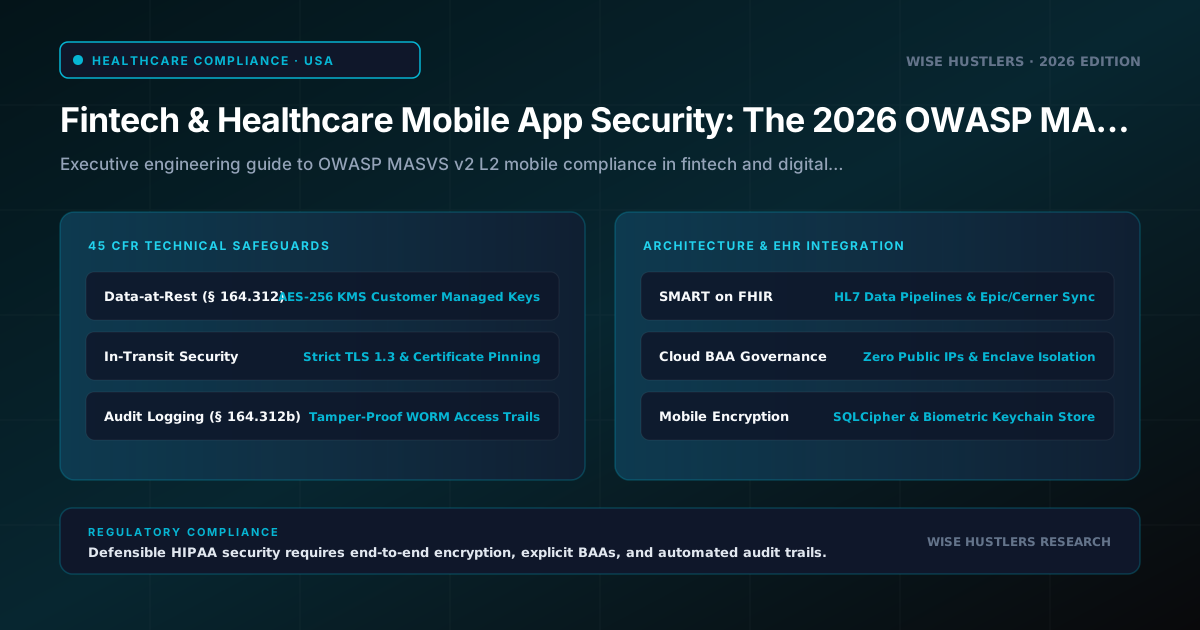
# Fintech & Healthcare Mobile App Security: The 2026 OWASP MASVS Fintech Mobile App Security Checklist
Summary: This executive guide and technical playbook establishes an architectural blueprint for engineering leaders navigating high-stakes compliance across banking, digital therapeutics, and telehealth mobile applications. Anchored to the OWASP Mobile Application Security Verification Standard (MASVS v2) Level 2 (MASVS-L2), this guide delivers production-grade implementations for hardware-backed biometric authentication, SSL public key pinning with zero-downtime rotation, secure offline synchronization, and push notification payload sanitation, alongside realistic penetration testing tier estimates and remediation matrices.
---
Executive Threat Landscape: Regulated Mobile Security in 2026
Mobile applications serving financial technology and digital healthcare operate in a zero-trust threat environment governed by rigorous regulatory enforcement. In 2026, compliance frameworks—including PCI standards (such as the PCI Software Security Framework and PCI Mobile Payments on COTS [MPoC], alongside PCI-DSS v4.0.1 Requirements 3 and 6), the HIPAA Security Rule, and the FTC Health Breach Notification Rule—treat mobile client devices as critical boundaries handling authentication tokens, Primary Account Numbers (PAN), and Electronic Protected Health Information (ePHI).
Threat actors target client applications across three primary vectors:
1. Dynamic Runtime Instrumentation: Attackers deploy Frida and Objection to hook native function pointers, override boolean biometric checks on the JavaScript thread, and dump memory strings before cryptographic routines execute.
2. Cryptographic and Network Subversion: Interception proxies (mitmproxy, Burp Suite) combined with rogue Certificate Authorities (CAs) in user trust stores harvest OAuth2 tokens and session payloads.
3. Data-at-Rest Extraction: Attackers inspect unencrypted application sandboxes, orphaned SQLite cache records, shared preferences, and system crash dumps via physical acquisition or automated malware.
Standard OWASP MASVS-L1 hygiene (basic code quality, non-debuggable flags) is insufficient for regulated industries. Engineering leaders must enforce OWASP MASVS-L2 (Defense-in-Depth), which assumes the host operating system is actively adversarial and requires hardware-backed isolation, verified cryptographic controls, and zero reliance on platform defaults.
---
The OWASP MASVS v2 Architecture: Deconstructing MASVS-L2 Requirements
The modernized OWASP MASVS v2 refactors mobile security verification into core architectural domains: Storage, Cryptography, Authentication, Network, Platform, Code, and Resilience. Rather than auditing superficial checklist items, MASVS-L2 requires engineering organizations to build verifiable, defense-in-depth boundaries.
OWASP MASVS-L2 Compliance Verification Matrix
| MASVS Domain | MASVS-L2 Control Objective | Production Implementation Mechanism | Regulatory Mapping | Falsifiability Test (Failure Proof) |
|---|---|---|---|---|
| MASVS-STORAGE | Cryptographic protection of all sensitive data at rest; zero plain data in cache, logs, or IPC. | SQLCipher (AES-256-CBC) with hardware-derived keys; FLAG_SECURE window masking; private sandbox segregation. | PCI-DSS v4.0.1 Req 3.4; HIPAA 45 CFR § 164.312(a)(2)(iv); GDPR Art. 32 | Hex-dumping device flash or /data/data/<pkg> extracts plaintext PAN, session tokens, or ePHI strings. |
| MASVS-CRYPTO | Industry-standard primitives; hardware-backed key generation; zero hardcoded key material. | Android Keystore / iOS Secure Enclave; AES-GCM (256-bit); HMAC-SHA256; PBKDF2 with 256,000+ iterations. | NIST SP 800-175B; PCI-DSS Req 3.5, 3.6, 3.7; SOC 2 CC6.1 | Static binary decompilation reveals cryptographic keys in DEX/Mach-O or repeated Initialization Vectors (IV reuse). |
| MASVS-AUTH | Biometric validation tied directly to cryptographic operations; zero-trust token lifecycle. | BiometricPrompt via CryptoObject; Keychain access control bound to biometryCurrentSet. | NIST SP 800-63B AAL3; PCI-DSS Req 8.3; FIDO2 / WebAuthn | Overriding onAuthenticationSucceeded() via Frida permits unauthorized API calls without hardware signing. |
| MASVS-NETWORK | Mutual verification and protection against CA compromise or rogue proxy interception. | Public Key Pinning (SPKI SHA-256) via Network Security Config & TrustKit; TLS 1.3 only; disabled cleartext. | PCI-DSS Req 4.1; HIPAA 45 CFR § 164.312(e)(1); SOC 2 CC6.6 | Traffic successfully decrypts inside an HTTP proxy (Burp Suite) using a custom user-installed root CA certificate. |
| MASVS-PLATFORM | Hardened IPC interfaces, background snapshot protection, and clipboard isolation. | Explicit Android Intent filters with signature protection; disabled export of components; clipboard masking. | HIPAA 45 CFR § 164.312(a)(1); OWASP Mobile Top 10 M8; NIST SP 800-163 Rev. 1 § 4.3 | Third-party Android application on same device reads sensitive IPC broadcast or extracts clipboard data. |
| MASVS-CODE | Integrity controls, compiler-level hardening, dependency vulnerability scanning. | R8 / ProGuard full stripping; Stack Canaries; ASLR; Position Independent Executables (PIE); automated SBOM audits. | PCI-DSS Req 6.2, 6.3; SOC 2 CC7.1 | Unobfuscated class structures and symbol tables exposed via apktool or class-dump. |
| MASVS-RESILIENCE | Detection and defensive response against dynamic analysis, rooting, and runtime tampering. | Hardware attestation (Play Integrity Strong verdict / App Attest); integrity checks; RASP signal telemetry. | OWASP MASVS-RESILIENCE; PCI MPoC Objective 3; PCI SSF Module 1; NIST SP 800-163 Rev. 1 § 4.5 | Application executes and processes financial transactions within a rooted emulator with Frida attached. |
---
Hardware-Backed Cryptography and Biometric Authentication Architecture
A prevalent vulnerability in cross-platform (React Native and Flutter) applications is treating biometric authentication as a simple boolean gate:
// INSECURE IMPLEMENTATION: Bypassed by a 3-line Frida hook
const isSuccess = await LocalAuthentication.authenticateAsync();
if (isSuccess) {
  sendPaymentTransaction(); // VULNERABILITY: No cryptographic binding
}
In an untrusted environment, an attacker hooks authenticateAsync to return true, completely bypassing the scan. MASVS-L2 mandates that biometrics act as a hardware-gated cryptographic trigger. The biometric scan must authorize the Secure Enclave or Android StrongBox to sign a server-provided nonce using a private key that never leaves hardware memory.
       CRYPTOGRAPHIC BIOMETRIC VERIFICATION FLOW
┌──────────────┐          ┌────────────────────┐          ┌───────────────┐
│ App / Client │          │ Secure Enclave /   │          │ Backend API   │
│ UI Thread    │          │ StrongBox Keystore │          │ Server        │
└──────┬───────┘          └─────────┬──────────┘          └───────┬───────┘
       │ 1. Request Auth Challenge  │                             │
       │─────────────────────────────────────────────────────────>│
       │ 2. Return Server Nonce (Cryptographic Challenge)         │
       │<─────────────────────────────────────────────────────────│
       │ 3. Initialize CryptoObject │                             │
       │───────────────────────────>│                             │
       │ 4. OS Prompts User Biometric Scan                        │
       │ 5. Hardware authorizes Key │                             │
       │    & Signs Server Nonce    │                             │
       │<───────────────────────────│                             │
       │ 6. Send Signed Nonce + Public Key ID                     │
       │─────────────────────────────────────────────────────────>│
       │ 7. Verify Signature against Stored Public Key            │
       │<─────────────────────────────────────────────────────────│
Native Android StrongBox Implementation (Kotlin)
On Android, hardware keys must be generated inside the AndroidKeyStore provider with StrongBox backing and biometric constraints:
import android.security.keystore.KeyGenParameterSpec
import android.security.keystore.KeyProperties
import java.security.KeyPairGenerator
import java.security.KeyStore
import java.security.Signature
import androidx.biometric.BiometricPrompt
import androidx.core.content.ContextCompat

class HardwareBiometricManager(private val context: android.content.Context) {
    private val KEY_ALIAS = "wise_hustlers_auth_key"

    fun generateBiometricBoundKeyPair() {
        val keyStore = KeyStore.getInstance("AndroidKeyStore").apply { load(null) }
        if (!keyStore.containsAlias(KEY_ALIAS)) {
            val keyPairGenerator = KeyPairGenerator.getInstance(
                KeyProperties.KEY_ALGORITHM_EC, "AndroidKeyStore"
            )
            val builder = KeyGenParameterSpec.Builder(
                KEY_ALIAS,
                KeyProperties.PURPOSE_SIGN or KeyProperties.PURPOSE_VERIFY
            )
                .setDigests(KeyProperties.DIGEST_SHA256)
                .setUserAuthenticationRequired(true)
                .setInvalidatedByBiometricEnrollment(true)
                .setIsStrongBoxBacked(context.packageManager.hasSystemFeature(
                    android.content.pm.PackageManager.FEATURE_STRONGBOX_KEYSTORE
                ))

            keyPairGenerator.initialize(builder.build())
            keyPairGenerator.generateKeyPair()
        }
    }

    fun authenticateAndSign(
        challenge: ByteArray,
        activity: androidx.fragment.app.FragmentActivity,
        onSuccess: (ByteArray) -> Unit,
        onError: (String) -> Unit
    ) {
        val keyStore = KeyStore.getInstance("AndroidKeyStore").apply { load(null) }
        val privateKey = keyStore.getKey(KEY_ALIAS, null) as java.security.PrivateKey
        val signature = Signature.getInstance("SHA256withECDSA").apply { initSign(privateKey) }
        val cryptoObject = BiometricPrompt.CryptoObject(signature)

        val executor = ContextCompat.getMainExecutor(context)
        val prompt = BiometricPrompt(activity, executor,
            object : BiometricPrompt.AuthenticationCallback() {
                override fun onAuthenticationSucceeded(result: BiometricPrompt.AuthenticationResult) {
                    val authSignature = result.cryptoObject?.signature
                    authSignature?.update(challenge)
                    val signedData = authSignature?.sign()
                    if (signedData != null) onSuccess(signedData) else onError("Signing failed")
                }
                override fun onAuthenticationError(code: Int, msg: CharSequence) {
                    onError("Auth error: $msg")
                }
            })

        val promptInfo = BiometricPrompt.PromptInfo.Builder()
            .setTitle("Authorize Transaction")
            .setNegativeButtonText("Cancel")
            .setAllowedAuthenticators(androidx.biometric.BiometricManager.Authenticators.BIOMETRIC_STRONG)
            .build()

        prompt.authenticate(promptInfo, cryptoObject)
    }
}
Native iOS Secure Enclave Implementation (Swift)
On iOS, the private key is generated within the Secure Enclave processor and protected by biometry flags:
import Foundation
import Security
import LocalAuthentication

final class SecureEnclaveAuthService {
    private let keyTag = "com.wisehustlers.app.authkey".data(using: .utf8)!

    func generateKeyPair() throws {
        var error: Unmanaged<CFError>?
        guard let access = SecAccessControlCreateWithFlags(
            kCFAllocatorDefault,
            kSecAttrAccessibleWhenPasscodeSetThisDeviceOnly,
            [.privateKeyUsage, .biometryCurrentSet],
            &error
        ) else { throw error!.takeRetainedValue() as Error }

        let attributes: [String: Any] = [
            kSecAttrKeyType as String: kSecAttrKeyTypeECSECPrimeRandom,
            kSecAttrKeySizeInBits as String: 256,
            kSecAttrTokenID as String: kSecAttrTokenIDSecureEnclave,
            kSecPrivateKeyAttrs as String: [
                kSecAttrIsPermanent as String: true,
                kSecAttrApplicationTag as String: keyTag,
                kSecAttrAccessControl as String: access
            ]
        ]
        var pubKey, privKey: SecKey?
        let status = SecKeyGeneratePair(attributes as CFDictionary, &pubKey, &privKey)
        guard status == errSecSuccess else {
            throw NSError(domain: NSOSStatusErrorDomain, code: Int(status), userInfo: nil)
        }
    }

    func signChallenge(challenge: Data, completion: @escaping (Result<Data, Error>) -> Void) {
        let query: [String: Any] = [
            kSecClass as String: kSecClassKey,
            kSecAttrApplicationTag as String: keyTag,
            kSecAttrKeyType as String: kSecAttrKeyTypeECSECPrimeRandom,
            kSecReturnRef as String: true
        ]
        var item: CFTypeRef?
        guard SecItemCopyMatching(query as CFDictionary, &item) == errSecSuccess,
              let privateKey = item as! SecKey? else {
            completion(.failure(NSError(domain: "SecureEnclave", code: -1, userInfo: nil)))
            return
        }

        var error: Unmanaged<CFError>?
        guard let signature = SecKeyCreateSignature(
            privateKey, .ecdsaSignatureMessageX962SHA256, challenge as CFData, &error
        ) as Data? else {
            completion(.failure(error!.takeRetainedValue() as Error))
            return
        }
        completion(.success(signature))
    }
}
React Native & Flutter Integration Notes
- React Native: Avoid storing long-lived JWTs in
AsyncStorage. Usereact-native-keychainconfigured withACCESS_CONTROL.BIOMETRY_CURRENT_SETor write a native TurboModule wrappingCryptoObjectsigning. - Flutter: Avoid relying solely on
local_auth. Configureflutter_secure_storagewith hardware encryption flags or implement a platform channel invoking nativeKeyGenParameterSpecandSecAccessControlAPIs.
Falsifiability Check: Run a Frida script hooking BiometricPrompt.AuthenticationCallback.onAuthenticationSucceeded. While the UI dialog dismisses, any transaction payload sent without the hardware cryptographic signature will be rejected by the backend API with 401 Unauthorized.
---
Zero-Downtime Public Key Pinning & Network Security Architecture
Relying solely on system-level Certificate Authorities exposes applications to compromised CAs, malicious enterprise root certificates, and DNS spoofing. OWASP MASVS-NETWORK-1 requires Subject Public Key Info (SPKI) Pinning.
Pinning leaf certificates creates an operational hazard: when certificates renew on a 90-day cycle, un-updated apps break immediately. Instead, pin the SHA-256 hash of the Subject Public Key Information (SPKI) using an N+2 pinning strategy:
1. Primary Pin: Current leaf certificate SPKI SHA-256 hash.
2. Secondary Pin: Intermediate Certificate Authority SPKI SHA-256 hash.
3. Backup Pin: An offline, air-gapped disaster recovery root or intermediate key pair stored securely in a Hardware Security Module (HSM).
                      N+2 CERTIFICATE PINNING TOPOLOGY
┌────────────────────────────────────────────────────────────────────────┐
│  Mobile App Client Network Security Trust Store                        │
│                                                                        │
│  ┌────────────────────────┐  Active Handshake    ┌──────────────────┐  │
│  │ Primary Pin (Leaf SPKI)│ ───────────────────> │ Origin Server    │  │
│  └────────────────────────┘                      └──────────────────┘  │
│                                                            │           │
│  ┌────────────────────────┐  Failover CA Match             ▼           │
│  │ Secondary Pin (Interm.)│ ───────────────────> ┌──────────────────┐  │
│  └────────────────────────┘                      │ Signed Cert CA   │  │
│                                                  └──────────────────┘  │
│  ┌────────────────────────┐  Emergency Revocation          │           │
│  │ Cold Backup Pin (HSM)  │ ───────────────────> ┌──────────────────┐  │
│  └────────────────────────┘                      │ Offline Disaster │  │
│                                                  │ Recovery Root    │  │
└──────────────────────────────────────────────────┴──────────────────┘──┘
Android Network Security Configuration (`res/xml/network_security_config.xml`)
<?xml version="1.0" encoding="utf-8"?>
<network-security-config>
    <base-config cleartextTrafficPermitted="false">
        <trust-anchors>
            <certificates src="system" />
        </trust-anchors>
    </base-config>
    <domain-config cleartextTrafficPermitted="false">
        <domain includeSubdomains="true">api.wise-hustlers.com</domain>
        <domain includeSubdomains="true">auth.wise-hustlers.com</domain>
        <pin-set expiration="2027-01-01">
            <!-- Primary Leaf SPKI Pin -->
            <pin digest="SHA-256">7HIpactkIAq2Y49orFOOQKurWxmmSFZhBCoQYcRhJ3Y=</pin>
            <!-- Secondary Intermediate CA SPKI Pin -->
            <pin digest="SHA-256">r/mFcQBeuoLeYxkU25050vmKC44UOHJtCwVwGYvR6Z0=</pin>
            <!-- Cold Disaster Recovery Backup Pin -->
            <pin digest="SHA-256">k2N9NZBDtTkUxeqKnZRks3W8iKTJV66G6varrKCRMSU=</pin>
        </pin-set>
    </domain-config>
</network-security-config>
iOS TrustKit Configuration
import TrustKit

class NetworkSecurity {
    static func configurePinning() {
        let config: [String: Any] = [
            kTSKSwizzleNetworkDelegates: true,
            kTSKPinnedDomains: [
                "api.wise-hustlers.com": [
                    kTSKIncludeSubdomains: true,
                    kTSKEnforcePinning: true,
                    kTSKPublicKeyAlgorithms: [kTSKAlgorithmEcDsaP256, kTSKAlgorithmRsa2048],
                    kTSKPublicKeyHashes: [
                        "7HIpactkIAq2Y49orFOOQKurWxmmSFZhBCoQYcRhJ3Y=",
                        "r/mFcQBeuoLeYxkU25050vmKC44UOHJtCwVwGYvR6Z0=",
                        "k2N9NZBDtTkUxeqKnZRks3W8iKTJV66G6varrKCRMSU="
                    ],
                    kTSKReportUris: ["https://telemetry.wise-hustlers.com/pin-reports"]
                ]
            ]
        ]
        TrustKit.initSharedInstance(withConfiguration: config)
    }
}
Cross-Platform Network Handling: Flutter & React Native
- Flutter Warning: Flutter's
HttpClientrelies on its own embedded BoringSSL engine and completely ignores Android's `network_security_config.xml`. You must enforce pinning programmatically usingSecurityContextin Dart or via native packages likehttp_certificate_pinning. - React Native: Default
fetchcalls utilize native OS stacks (OkHttpClienton Android,NSURLSessionon iOS), correctly honoring native configs. However, custom WebSockets or native C++ modules must be verified separately.
Emergency Pin Rotation & Disaster Recovery Protocols
When a private key is compromised:
1. Avoid relying solely on emergency binary releases through app store review cycles, which can introduce critical deployment delays and staged rollout latency during an active security incident.
2. Dynamic Signed JWKS Fallback: Configure a separate unpinned emergency hostname (e.g., pin-fallback.wise-hustlers.com) from which the app pulls a signed JSON Web Keyset (JWKS) document.
3. Hardware Signature Verification: The mobile client verifies the document against an embedded offline public key and injects the updated pins into runtime memory without requiring binary deployment.
Falsifiability Check: Route client traffic through an interception proxy (Burp Suite) with a custom root CA. The connection must immediately abort with an SSLHandshakeException or NSURLErrorServerCertificateUntrusted.
---
Data at Rest, Offline Sync, and Push Notification Architecture
Unencrypted local storage is the most common vulnerability uncovered during mobile security audits.
1. Database-at-Rest Encryption (SQLCipher)
Never store financial ledgers or medical records in plain SQLite or SharedPreferences. Use SQLCipher with 256-bit AES encryption:
import net.sqlcipher.database.SQLiteDatabase

fun openEncryptedDatabase(context: android.content.Context, masterKey: ByteArray): SQLiteDatabase {
    SQLiteDatabase.loadLibs(context)
    val dbFile = context.getDatabasePath("secure_ledger.db")
    val db = SQLiteDatabase.openOrCreateDatabase(dbFile, masterKey, null, null)
    db.rawExecSQL("PRAGMA kdf_iter = 256000;")
    db.rawExecSQL("PRAGMA cipher_memory_security = ON;")
    return db
}
The database encryption key must be generated randomly upon install via SecureRandom, stored in the hardware Keystore/Keychain, and retained only in volatile memory while the database connection is open.
2. Offline Synchronization Queues
- Payload Sanitization: Never persist raw PAN, CVV, or unmasked patient identifiers to offline queues. Use ephemeral, single-use transaction tokens.
- Monotonic Expiration TTL: Give offline queue records a strict 24-hour expiration timestamp. Expired records must self-purge to prevent replay attacks if a stolen device is brought back online.
3. Push Notification Sanitation & Memory Masking
Push notifications transiting Apple APNs or Google FCM servers must not contain sensitive data:
- Zero-Payload Push Architecture: Deliver silent wake-up notifications containing only generic event IDs (e.g.,
{"notification_id": "tx_88921"}). - Local Fetch: The background handler fetches encrypted details over a pinned TLS connection and renders a local notification.
- Lock Screen Privacy: Use
NotificationCompat.VISIBILITY_SECRETon Android to prevent lock-screen preview leaks. - Screen Protection: Apply
WindowManager.LayoutParams.FLAG_SECUREin Android activities handling sensitive workflows to prevent screenshots and task-switcher previews. On iOS, blur the key window duringapplicationDidEnterBackground.
---
Representative Mobile Penetration Testing: Cost, Scope, and Risk Breakdown
Automated vulnerability scanners produce false positives while missing business logic flaws, dynamic hookability, and broken authorization. Regulated fintech and healthcare applications require manual, grey-box penetration testing. While actual fees vary by consultancy, scope complexity, and platform footprint, commercial cybersecurity rate structures typically align across three core assessment tiers:
Penetration Testing Cost and Audit Tier Breakdown
| Audit Tier | Estimated Fee Range (USD)* | Typical Timeline | Scope & Testing Methodology | Target Deliverables | Recommended Cadence |
|---|---|---|---|---|---|
| Tier 1: Rapid Baseline & Compliance Healthcheck | $8,000 – $12,000 | 1 – 2 Weeks | Static analysis validation, dynamic proxy inspection, standard MASVS-L1 verification, automated vulnerability triaging. | Executive summary, CVSS vulnerability list, remediation roadmap for non-critical bugs. | Pre-seed / Seed startups preparing for pilot vendor due diligence. |
| Tier 2: Comprehensive MASVS-L2 Regulatory Pentest | $15,000 – $22,000 | 2 – 3 Weeks | Grey-box testing with provided source code, custom Frida instrumentation, pinning bypass tests, biometric hooking, IPC fuzzing, backend API authorization testing. | Formal MASVS-L2 Attestation Report, proof-of-concept exploits, regulatory cross-mapping (PCI/HIPAA). | Series A–C fintech and digital health scale-ups facing annual compliance audits. |
| Tier 3: Advanced Red-Team & Reverse Engineering | $25,000 – $35,000+ | 3 – 5 Weeks | Full white-box analysis, binary de-obfuscation, custom gadget exploitation, RASP resilience testing, memory dump extraction, white-box cryptographic key reconstruction. | Board-level risk assessment, weaponized exploit scripts, zero-day analysis, architectural hardening review. | Tier-1 financial institutions, neobanks, and FDA-regulated medical device apps. |
\Note: Fee ranges and delivery timelines reflect representative commercial consultancy averages for mid-to-enterprise mobile applications; precise quotes depend on codebase size, target platforms (iOS/Android), and specific compliance scope.*
Penetration Testing ROI vs. Post-Breach Financial Exposure
| Financial Impact Metric | Proactive MASVS-L2 Hardening & Tier 2 Audit | Unmitigated Breach / Non-Compliance Fallout |
|---|---|---|
| Direct Upfront Cost | Estimated Model (Mid-Market Application): $40,000 – $65,000 (Internal engineering allocation + representative ~$18k Tier 2 external pentest) | $0 upfront (temporary deferred savings) |
| Regulatory Fines | $0 (Auditable compliance defense established) | HIPAA: Statutory enforcement tiers up to annual caps (historically exceeding $2M for willful neglect).<br>PCI-DSS: Payment brand non-compliance assessments (typically passed down via acquiring banks up to $100,000/month, plus mandatory forensic audits and card re-issuance assessments).<br>GDPR: Administrative fines up to €20M or 4% of total worldwide annual turnover, whichever is higher (Art. 83). |
| Forensic Investigation & Triage | $0 | Estimated DFIR Retainers: Often $150,000 – $300,000+ for specialized third-party digital forensics and incident response teams, excluding legal counsel. |
| Customer Notification & Churn | Minimal (transparent audit posture) | Regulated industry breaches average $9.77M in healthcare and $6.08M in financial services ($4.88M cross-industry average) according to the IBM Security Cost of a Data Breach Report, driven by breach notifications, legal defense, and customer attrition. |
| Deployment Delays | 0 days (built into CI/CD sprint cycle) | Extended release delays, emergency patch re-reviews, and potential deployment pipeline freezes during active incident containment. |
Building a resilient mobile architecture requires integrating these security layers into the foundation of your codebase. When teams partner with Wise Hustlers for end-to-end mobile development services, MASVS-L2 compliance, hardware-backed keystores, and zero-downtime pinning are engineered into sprint zero rather than bolted on before launch.
---
Operational Implementation Checklist for Engineering Teams
Execute this four-phase operational checklist across your mobile release cycle:
Phase 1: Sprint Zero Architecture and Infrastructure
- [ ] Set minimum target SDKs: Android 12 (API 31+) and iOS 16+.
- [ ] Configure
network_security_config.xml(Android) and TrustKit (iOS) with N+2 SPKI pins. - [ ] Initialize hardware-backed key generation inside
AndroidKeyStoreandSecureEnclave. - [ ] Integrate automated GitHub Actions / GitLab CI workflows running Semgrep and MobSF static scans on every pull request.
Phase 2: Implementation and Storage Hardening
- [ ] Replace standard
AsyncStorageandSharedPreferenceswith SQLCipher AES-256 databases. - [ ] Apply
FLAG_SECUREto Android window managers and implement window blurring in iOS lifecycle delegates. - [ ] Enforce zero-payload push notifications via background silent push and local retrieval.
- [ ] Bind all biometric authentication flows to
BiometricPrompt.CryptoObjectorSecKeyCreateSignature.
Phase 3: Runtime Application Self-Protection (RASP) & Code Integrity
- [ ] Enable R8 full obfuscation mode on Android with aggressive rule mapping.
- [ ] Integrate Play Integrity API (Hardware-backed / Strong verdict) and Apple DeviceCheck / App Attest.
- [ ] Implement anti-debugging checks (
ptracedetection on iOS,Debug.isDebuggerConnected()on Android). - [ ] Strip all diagnostic logging, assertions, and test harness credentials from release binaries.
Phase 4: Production Verification and Penetration Readiness
- [ ] Conduct dynamic verification using Frida scripts to test biometric bypass resilience.
- [ ] Route staging builds through Burp Suite to verify SSL handshake termination.
- [ ] Execute memory inspection using Objection to ensure cryptographic keys do not reside in cleartext RAM.
- [ ] Schedule and commission an external Tier 2 or Tier 3 mobile penetration test with an accredited firm.
---
Frequently Asked Questions (FAQ)
1. Why does standard Flutter or React Native biometric authentication fail OWASP MASVS-L2 audits?
Standard hybrid plugins (such as base implementations of local_auth or expo-local-authentication) operate as simple boolean gates. When a user authenticates, the native platform returns a boolean flag (true/false) across the bridge to the JavaScript or Dart runtime. Attackers using dynamic binary instrumentation tools (such as Frida) hook the callback function in memory and force it to return true without touching the biometric scanner. Under MASVS-L2, biometric authentication must be cryptographically bound to a hardware enclave: the biometric prompt must authorize cryptographic release of a hardware-stored private key to sign a server-provided cryptographic challenge.
2. What happens if our pinned SSL certificate expires or our backend private key is compromised?
If an engineering team pins a single leaf certificate and that certificate expires or requires revocation, all deployed mobile apps will immediately cease communications with the API, resulting in total service failure. MASVS-L2 compliance mandates an N+2 pinning policy: pinning the primary leaf SPKI, the intermediate CA SPKI, and an offline disaster-recovery backup key pair maintained in an air-gapped Hardware Security Module (HSM). Furthermore, an out-of-band dynamic fallback endpoint protected by an independent cryptographic key should be maintained to deliver emergency signed updates without waiting for app store review cycles.
3. Does MASVS-L2 require full code obfuscation and anti-tampering (MASVS-RESILIENCE)?
MASVS-L2 focuses on defense-in-depth security controls (storage, cryptography, network, and authentication). MASVS-RESILIENCE (formerly MASVS-R) is a complementary layer that specifies requirements for resisting reverse engineering, dynamic instrumentation, and environmental tampering (such as root/jailbreak detection and anti-debugging). While MASVS-L2 can be achieved independently, regulatory bodies assessing high-risk banking and digital therapeutics applications strongly recommend integrating MASVS-RESILIENCE alongside MASVS-L2 to protect proprietary algorithms and client-side cryptographic implementations.
4. How should fintech and digital health apps handle background screenshot masking on iOS and Android?
When a user backgrounds a mobile app, the operating system captures a snapshot of the current view hierarchy for the app-switcher interface. If sensitive transaction data or patient records are visible, this snapshot is written to disk unencrypted. On Android, call window.setFlags(WindowManager.LayoutParams.FLAG_SECURE, WindowManager.LayoutParams.FLAG_SECURE) during activity creation to prevent screenshots and task-switcher previews. On iOS, implement the applicationDidEnterBackground lifecycle method in the AppDelegate or SceneDelegate to present an overlay view or apply a visual blur effect before the OS captures the snapshot.
5. Can an app be compliant with HIPAA and PCI-DSS v4.0.1 by solely adhering to MASVS-L1?
While frameworks such as HIPAA and PCI-DSS do not mandate OWASP MASVS by name, adhering solely to basic MASVS-L1 hygiene is generally insufficient to satisfy their defense-in-depth and cryptographic safeguards for high-risk mobile environments. MASVS-L1 establishes foundational application hygiene (such as removing debug flags and avoiding obvious misconfigurations), but financial and health regulations require verifiable controls around data-at-rest encryption, authenticated network communications, granular access controls, and session integrity. For applications processing cardholder data (PAN) or electronic Protected Health Information (ePHI), engineering teams implement the hardware-backed boundaries and defense-in-depth controls defined under OWASP MASVS-L2 to demonstrate robust compliance.
---
Sources
- OWASP Mobile Application Security (MAS) Project
- OWASP Mobile Application Security Verification Standard v2 (MASVS)
- OWASP Mobile Application Security Testing Guide (MASTG)
- PCI Security Standards Council - PCI-DSS v4.0.1
- PCI Security Standards Council - Mobile Payments on COTS (MPoC)
- NIST SP 800-163 Rev. 1: Vetting the Security of Mobile Applications
- IBM Security - Cost of a Data Breach Report
- U.S. Department of Health and Human Services - HIPAA Security Rule Guidance
- Apple Platform Security Guide - Secure Enclave Architecture
- Android Open Source Project - Hardware-Backed Keystore