
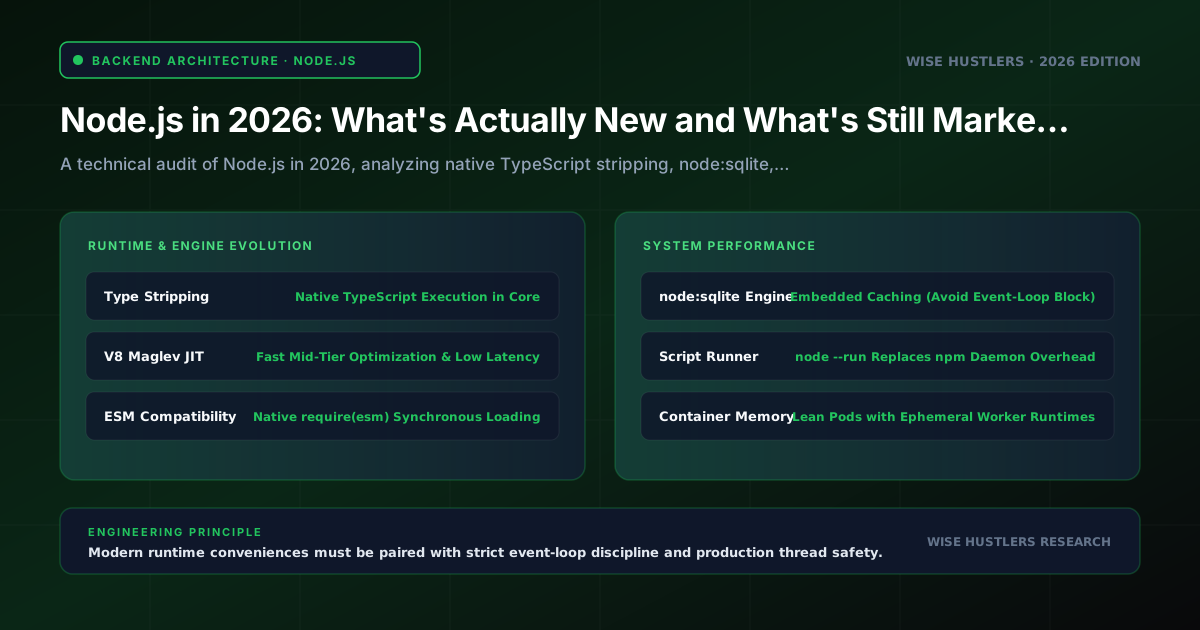
# Node.js in 2026: What's Actually New and What's Still Marketing (Node.js 2026 New Features Breakdown)
Summary: As Node.js reaches the 2026 milestone with Node.js 24 Active LTS and Node.js 26 entering LTS, engineering teams face significant architectural shifts. While built-in TypeScript type stripping, node:sqlite, and require(esm) eliminate baseline developer tooling fatigue, production systems still require deliberate boundary enforcement. This guide analyzes verified changelogs, separates runtime reality from marketing narratives, and establishes benchmarks for when to adopt core features versus retaining dedicated enterprise infrastructure.
1. The 2026 Runtime Baseline: Node.js 24 LTS and Annual Releases
Tracking runtime lifecycles dictates vulnerability remediation and container baselines. In 2026, the Node.js ecosystem centers on three release lines.
Node.js 24 ("Krypton"), promoted to Active Long-Term Support (LTS) in October 2025 on V8 13.6, npm 11, and Undici 7.0, receives maintenance through April 30, 2028. Node.js 22 ("Jod") is in Maintenance LTS until April 30, 2027.
Crucially, Node.js 20 reached End-of-Life on April 30, 2026, ending security backports and OpenSSL patches. Managed cloud environments and serverless runtimes are progressively retiring Node.js 20 support, making migration to active LTS versions (Node.js 22 and 24 LTS) an operational priority.
Node.js 26 entered as "Current" in May 2026, transitioning to LTS in October 2026 (EOL April 2029). Starting with Node.js 27, the project retired odd/even versioning for an annual major release every April, where every release graduates to LTS after six months of stabilization. For 2026 production workloads, Node.js 24 LTS represents the enterprise baseline.
2. Native TypeScript Execution: Type Stripping vs. Transpiler Reality
Among the most discussed node.js 2026 new features is native TypeScript execution. Vendor narratives claimed teams could immediately delete build pipelines, abandon tsconfig.json, and run raw TypeScript in production without esbuild or tsc. The architectural reality demands strict qualification.
How Native Type Stripping Functions
Node.js incorporates native type stripping across Node.js 24 LTS and Node.js 26. Rather than full semantic compilation, the runtime replaces erasable syntax with whitespace. This preserves line and column coordinates so runtime stack traces match source files without sourcemaps.
However, strict architectural constraints apply:
1. Erasable Syntax Only: Removes only syntax leaving no runtime trace: type annotations, interfaces, aliases, and generics.
2. Unsupported Runtime Constructs: Syntax emitting runtime JavaScript triggers fatal startup crashes: TypeScript enum declarations, namespace blocks, and constructor parameter properties (such as constructor(public id: string)).
3. No Type Checking: Does not validate types; type bugs pass straight to the V8 engine until an unhandled runtime error occurs.
4. Ignored Path Mappings: Ignores tsconfig.json. Path aliases (such as @core/db) fail unless mapped in package.json subpath imports using the # prefix.
Concrete Implementation: Erasable vs. Non-Erasable Constructs
The following listing illustrates executable syntax versus non-erasable constructs that crash at startup:
// server.ts - Valid erasable TypeScript in Node 24+
import { createServer, IncomingMessage, ServerResponse } from 'node:http';

interface HealthPayload { status: 'ok'; timestamp: number }

const server = createServer((req: IncomingMessage, res: ServerResponse): void => {
  if (req.url === '/healthz') {
    const data: HealthPayload = { status: 'ok', timestamp: Date.now() };
    res.writeHead(200, { 'Content-Type': 'application/json' }).end(JSON.stringify(data));
    return;
  }
  res.writeHead(404).end();
});

server.listen(8080);

// CRASH HAZARD: Non-erasable syntax triggers startup syntax errors:
// enum Status { ACTIVE = 1 }
// class Gateway { constructor(public readonly endpoint: string) {} }
Running non-erasable syntax triggers an immediate fatal error:
$ node server.ts
SyntaxError [ERR_UNSUPPORTED_TYPESCRIPT_SYNTAX]: TypeScript enum is not supported in strip-only mode
Architectural Verdict and Falsifiability
Adopt native type stripping for administrative scripts, task runners, and local utilities. For production container images, retain ahead-of-time bundling with esbuild or Vite alongside tsc --noEmit in CI to guarantee tree-shaking, minification, and static verification.
Falsifiability Metric: If cold-start container latency increases by more than 15% under autoscaling due to repeated JIT syntax stripping, or if unverified type mismatches trigger production runtime exceptions, the build-less runtime strategy has failed.
3. Resolving the Dual-Module Agony: The Realities of require(esm)
For years, the JavaScript ecosystem struggled with CommonJS (CJS) and ECMAScript Modules (ESM) dual-package hazards. Developers regularly encountered ERR_REQUIRE_ESM when legacy CJS applications loaded modern ESM dependencies.
The Mechanics of require(esm)
Node.js 24 LTS and Node.js 26 enable require(esm) by default. CommonJS code can synchronously load ECMAScript modules using standard require() calls without CLI flags:
// legacy-worker.cjs - CommonJS consumer loading native ESM
const { calculateMetric } = require('./telemetry-metric.mjs');
module.exports = { processBatch: (records) => records.map(calculateMetric) };
This unblocks legacy enterprise codebases. However, marketing claims that require(esm) eliminates all module friction overlook a critical boundary: Top-Level Await (TLA).
The Top-Level Await Boundary
CommonJS execution is strictly synchronous. When Node encounters a require() call, it halts execution on that thread, loads the module synchronously, and returns exports.
ECMAScript modules permit asynchronous evaluation via Top-Level Await. If an imported ES module awaits a database connection pool or KMS secret retrieval, the synchronous CommonJS loader cannot pause the thread for promise fulfillment. Node.js immediately throws an unrecoverable exception:
Error [ERR_REQUIRE_ASYNC_MODULE]: require() cannot be used on an ES Module that uses top-level await.To prevent runtime failures across mixed codebases, architects must enforce explicit lifecycle initialization rather than top-level side effects:
// database-pool.mjs - Safe ESM pattern without Top-Level Await
class DatabasePool {
  #client = null;

  async initialize(uri) {
    if (!this.#client) this.#client = await this.#connect(uri);
    return this.#client;
  }

  async #connect(uri) { return { uri, status: 'ready' }; }

  getClient() {
    if (!this.#client) throw new Error('DatabasePool not initialized. Await initialize() first.');
    return this.#client;
  }
}

export const pool = new DatabasePool();
Architectural Recommendation: Author new libraries as pure ESM. Ban Top-Level Await in shared enterprise packages to maintain compatibility with CommonJS callers, while migrating application roots to "type": "module".
4. Native Embedded Storage: Production Scenarios for node:sqlite
The node:sqlite module introduces a built-in SQLite client powered by the DatabaseSync API, removing the need to compile native C++ bindings via node-gyp for packages like better-sqlite3.
The Synchronous Execution Trap
Industry commentary suggests that node:sqlite allows teams to replace PostgreSQL or Redis with an embedded database. For systems architects, this claim overlooks a core event-loop reality: DatabaseSync is strictly synchronous.
Node.js handles network traffic on a single event-loop thread. When code calls database.prepare(query).all(), the thread blocks incoming HTTP requests until SQLite completes. While in-memory lookups complete in microseconds, complex queries involving disk I/O or full table scans stall the event loop. Under concurrent web traffic, synchronous SQLite execution directly degrades p99 latencies and starves the socket queue.
Production Pattern for node:sqlite
node:sqlite excels in specialized architectural roles: local read-heavy configuration caching, session token validation, and CLI state persistence. When deploying it, engineers must enable Write-Ahead Logging (WAL) to minimize read-write contention:
// embedded-cache.ts - Safe embedded storage pattern using node:sqlite
import { DatabaseSync } from 'node:sqlite';

export class LocalCacheStore {
  private db: DatabaseSync;
  private selectStmt: ReturnType<DatabaseSync['prepare']>;
  private upsertStmt: ReturnType<DatabaseSync['prepare']>;

  constructor(filePath: string = ':memory:') {
    this.db = new DatabaseSync(filePath);
    this.db.exec('PRAGMA journal_mode = WAL; PRAGMA synchronous = NORMAL;');
    this.db.exec(`
      CREATE TABLE IF NOT EXISTS cache (
        key TEXT PRIMARY KEY, value TEXT NOT NULL, expiresAt INTEGER NOT NULL
      );
      CREATE INDEX IF NOT EXISTS idx_expires ON cache(expiresAt);
    `);

    this.selectStmt = this.db.prepare('SELECT value, expiresAt FROM cache WHERE key = ?');
    this.upsertStmt = this.db.prepare(
      'INSERT INTO cache (key, value, expiresAt) VALUES (?, ?, ?) ' +
      'ON CONFLICT(key) DO UPDATE SET value = excluded.value, expiresAt = excluded.expiresAt'
    );
  }

  public get(key: string): string | null {
    const row = this.selectStmt.get(key) as { value: string; expiresAt: number } | undefined;
    return (!row || row.expiresAt < Date.now()) ? null : row.value;
  }

  public set(key: string, value: string, ttlMs: number): void {
    this.upsertStmt.run(key, value, Date.now() + ttlMs);
  }
}
Architectural Recommendation: Deploy node:sqlite for local caching, edge state lookups, and CLI tools. For transactional enterprise backends with concurrent write operations, continue utilizing dedicated PostgreSQL or MySQL clusters connected via asynchronous drivers (pg, mysql2) and type-safe query builders (Drizzle, Kysely).
5. Process Sandboxing: Evaluating the Native Permission Model
The stabilization of Node's native permission model (--experimental-permission) provides command-line flags to constrain process capabilities at runtime.
Permission Controls and Security Boundaries
Operators can constrain privileges via explicit startup flags:
--allow-fs-read: Restricts file system read permissions to designated paths.--allow-fs-write: Restricts file system write privileges.--allow-net: Restricts outgoing network sockets to explicit hostnames.--allow-child-process: Prevents spawning child processes vianode:child_process.--allow-worker: Governs thread creation viaworker_threads.
node --experimental-permission --allow-fs-read=/app/dist --allow-fs-write=/tmp --allow-net=api.internal.corp app.jsInside application code, unauthorized resource access throws an immediate error:
import fs from 'node:fs';

try {
  const secret = fs.readFileSync('/etc/passwd', 'utf8');
} catch (err) {
  console.error(err.code); // 'ERR_ACCESS_DENIED'
}
Enterprise Reality: Defense-in-Depth vs. Kernel Sandboxing
While valuable as a defensive layer, treating the permission model as a replacement for container security introduces severe vulnerabilities:
1. Process-Wide Scope: Permissions apply globally. Once write access is granted to a directory, every dependency in node_modules shares that access.
2. Native Addon Bypass: Unless native addons are blocked via --no-addons, compiled C++ addons (node-gyp) bypass permission checks and make direct kernel system calls.
3. No Resource Isolation: The model does not enforce memory, CPU, or file descriptor quotas.
Architectural Recommendation: Use the permission model as defense-in-depth for worker jobs. For enterprise security, rely on Linux namespaces, Docker non-root execution, dropped capabilities (CAP_DROP_ALL), and continuous supply chain auditing via tools like Snyk and Socket.
6. The Real Engine Room: V8 13.6, Web Standards, and Container Efficiency
Beyond high-visibility features, operational updates delivering measurable value to production systems center on runtime performance, web standard unification, and container optimization.
V8 13.6 and the Maglev Compiler
Node.js 24 incorporates Google's V8 13.6 engine. A key advancement is Maglev, the mid-tier JIT compiler between Sparkplug (baseline) and TurboFan (optimizing). Maglev compiles optimized machine code substantially faster than TurboFan. Maglev compiles optimized machine code with far less compilation overhead than TurboFan, delivering measurably smoother throughput and lower latency during container warmups and cold starts before full TurboFan optimization takes effect.
Web Standards Unification
Node.js in 2026 solidifies adherence to cross-platform web standards:
- Global `URLPattern`: Available globally for declarative URL matching without custom regex parsing.
- Modern Collections:
Object.groupBy(),Map.groupBy(),Promise.withResolvers(), andArray.fromAsync()eliminate legacy utility libraries. - Undici 7.0 & HTTP/3: Native
fetch,WebSocket, and stabilized HTTP/3 support remove third-party HTTP transport dependencies (node-fetch,ws).
Container Optimization and Hardened Dockerfile
Modern Node.js versions eliminate two persistent sources of container bloat:
1. Native Environment Loading: node --env-file=.env eliminates the dotenv package dependency.
2. Native Script Execution: node --run <script> runs package.json scripts without spawning the npm CLI daemon, minimizing container memory footprint and eliminating signal-forwarding issues (SIGTERM) during pod shutdown.
# Multi-stage production container for Node.js 24 LTS
FROM node:24-alpine AS builder
WORKDIR /app
COPY package*.json ./
RUN npm ci
COPY . .
RUN npm run build && npm prune --production

FROM node:24-alpine AS runner
WORKDIR /app
ENV NODE_ENV=production PORT=8080
USER node
COPY --chown=node:node --from=builder /app/package.json ./package.json
COPY --chown=node:node --from=builder /app/node_modules ./node_modules
COPY --chown=node:node --from=builder /app/dist ./dist
EXPOSE 8080
CMD ["node", "--max-old-space-size=1536", "dist/index.js"]
When engineering teams plan runtime modernizations, decouple legacy monoliths, or optimize distributed backend performance, technical leaders consult Wise Hustlers for custom web development services to conduct architectural reviews, audit bottlenecks, and execute structured runtime migrations.
7. Node.js 2026 Feature Matrix: Marketing Claim vs. Engineering Reality
The table below contrasts promotional claims with real-world production realities across the modern Node.js feature set:
| Feature | Status | Marketing Claim | Technical Reality | Production Strategy |
|---|---|---|---|---|
| Native Type Stripping | Stable (24 LTS, 26) | "Delete build tools; runs TS natively." | Erasable syntax only. No type checking; enums crash; ignores tsconfig.json. | Developer scripts only. Retain bundlers and tsc in CI. |
| `require(esm)` | Stable (24 LTS, 26) | "Module division solved everywhere." | Synchronous only. Crashes with ERR_REQUIRE_ASYNC_MODULE if ESM has Top-Level Await. | Adopt for legacy CJS. Forbid Top-Level Await in libraries. |
| `node:sqlite` | Stable (24 LTS, 26) | "Replaces PostgreSQL and Redis." | Synchronous execution blocks the event loop under heavy concurrent load. | Local caching and CLI tools. Retain PostgreSQL for OLTP. |
| Permission Model | Stable (24 LTS, 26) | "Complete supply chain sandbox." | Coarse process permissions. Bypassed by native C++ addons. | Defense-in-depth only. Retain Docker non-root and namespaces. |
| Native Script Runner | Stable (24 LTS, 26) | "Replaces package managers." | Runs scripts without npm CLI daemon, reducing container memory overhead. | Adopt in production containers to eliminate npm process bloat. |
| V8 13.6 Maglev | Stable (24 LTS) | "Automatic 2x speedup." | Faster mid-tier JIT compilation and reduced warmup latency. | Upgrade Node 20 to 24 LTS for immediate container efficiency. |
8. Frequently Asked Questions
Can our team eliminate build tools and run TypeScript directly in production on Node.js 24?
No. Running raw TypeScript in production via native type stripping introduces severe operational risks. Type stripping performs zero semantic type validation; type bugs pass into production undetected without tsc --noEmit in CI. Furthermore, type stripping cannot evaluate enum declarations, namespace blocks, or parameter properties, crashing on startup. Production bundlers also deliver essential optimizations—such as tree-shaking, dead-code elimination, and path alias mapping—that Node's native runner cannot perform.
Does node:sqlite eliminate the need for better-sqlite3 or production PostgreSQL databases?
For local embedded storage without native compilation, node:sqlite replaces better-sqlite3. However, it does not replace centralized relational databases like PostgreSQL for high-concurrency systems. The DatabaseSync engine executes synchronously on the main thread, blocking incoming HTTP traffic during complex queries or disk writes. Use node:sqlite for local caches, edge lookup tables, and CLI tools; retain asynchronous drivers for transactional microservices.
When must organizations migrate from Node.js 20 or Node.js 22 to Node.js 24 LTS?
Migrate from Node.js 20 immediately. Node.js 20 reached End-of-Life on April 30, 2026, receiving no further security backports or OpenSSL updates. Cloud providers are actively deprecating Node.js 20 runtime environments throughout 2026. Teams on Node.js 22 remain supported until April 30, 2027, but all greenfield architectures and scheduled quarterly replatforming should target Node.js 24 LTS as the default deployment baseline.
Does require(esm) completely resolve the dual-package hazard in npm libraries?
It resolves most friction when legacy CommonJS code loads ES modules, but critical limits remain. If an ES module contains Top-Level Await anywhere in its dependency graph, require() throws ERR_REQUIRE_ASYNC_MODULE because synchronous CommonJS cannot pause for promise fulfillment. Library authors must avoid Top-Level Await in shared packages, while engineering teams migrate application entry points to pure ECMAScript modules ("type": "module").
Sources
- Node.js Official Release Schedule
- Node.js Previous Releases and LTS Roadmap
- Node.js v24 Krypton Changelog
- Node.js v23 Changelog
- Node.js Module API: Loading ECMAScript Modules Using require()
- Node.js Built-in SQLite Documentation (node:sqlite)
- Node.js TypeScript Support Documentation
- Node.js Permission Model Security Documentation
- V8 JavaScript Engine Architecture Releases